Step 1: Create a Bulk SMS BD Account
If you don’t already have an account, create an account through the official Bulk SMS BD website. During registration, you may be required to provide your personal and business information for account verification. The registration process requires information such as your mobile number, name, email address, NID number, date of birth, address, and purpose of using the SMS service. Business users may also need to provide company information and supporting documents. After submitting the registration form, complete the verification process before using the SMS service. For more information, visit the official Bulk SMS BD website.Step 2: Get Your API Key
Log in to your Bulk SMS BD account and open your account dashboard. Locate the section where your API credentials are provided and copy your API Key. The API Key is required by COD King to authenticate requests with the Bulk SMS BD SMS gateway. Bulk SMS BD’s API uses an API key to authenticate SMS requests. The API endpoint used for sending SMS is:https://bulksmsbd.net/api/smsapi
Step 3: Get Your Sender ID
Before sending SMS messages, make sure you have an approved Sender ID configured for your Bulk SMS BD account. The Sender ID is the name or identity that is used when sending SMS messages to your customers. Log in to your Bulk SMS BD account and locate the Sender ID or SMS settings section. Copy your approved Sender ID. BulkSMSBD integrations use an API Key together with an approved Sender ID for SMS delivery. :contentReference[oaicite:1] If your Sender ID has not been approved or enabled, contact Bulk SMS BD support before testing the integration.Step 4: Connect Bulk SMS BD to COD King
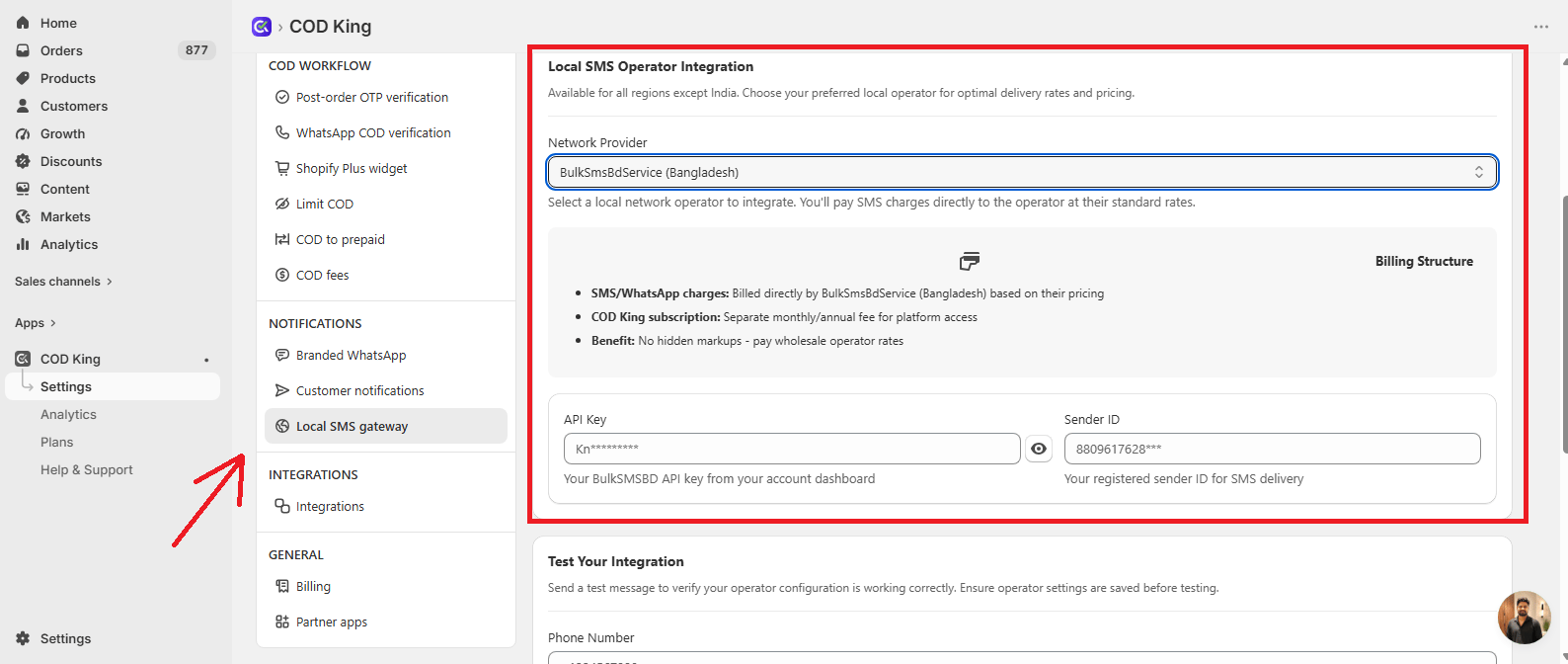
- Open your Shopify Admin.
- Go to Apps and open COD King.
- Navigate to Settings.
- Select Local SMS gateway.
- Select BulkSmsBdService (Bangladesh) from the Network Provider dropdown.
- Enter the following details:
- API Key: Enter the API Key from your Bulk SMS BD account.
- Sender ID: Enter your approved Sender ID.
- Save your settings.
Step 5: Send a Test SMS
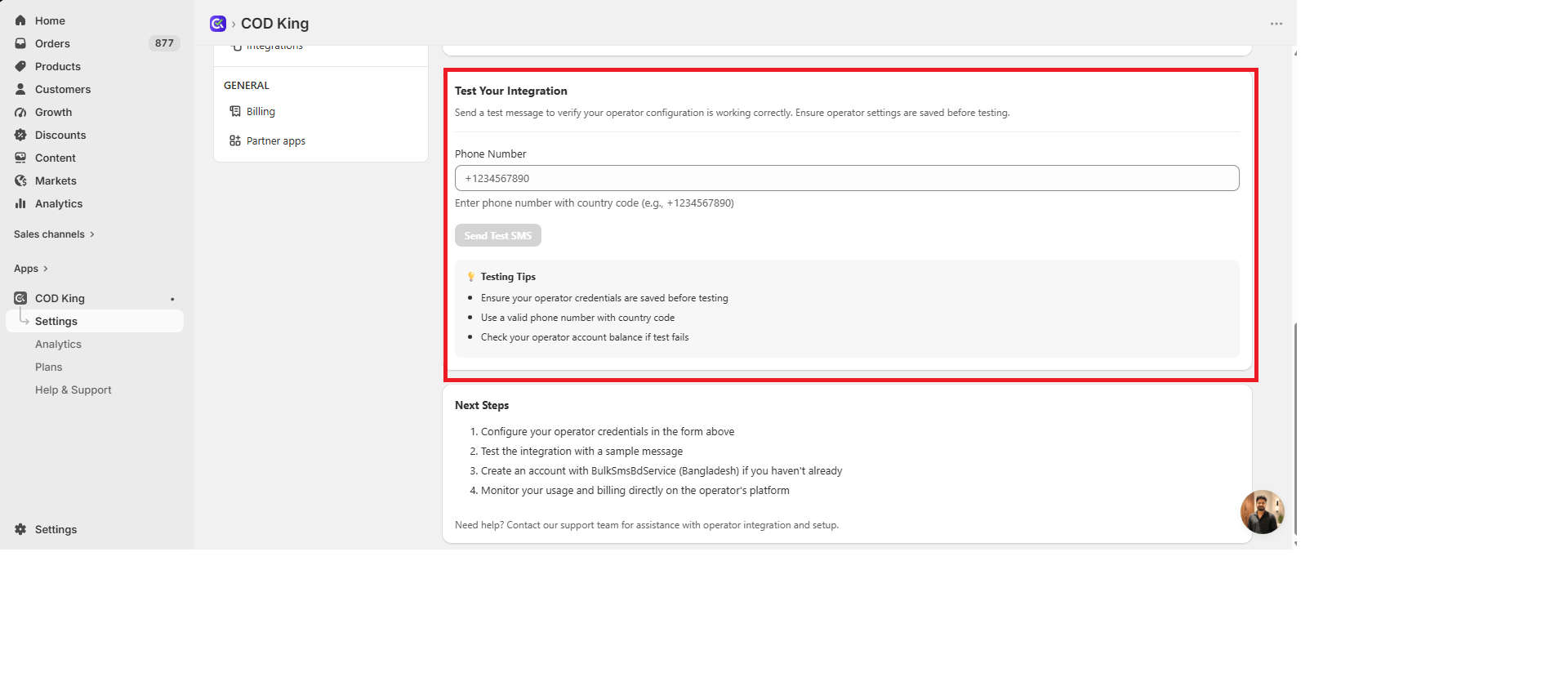
After saving your Bulk SMS BD configuration:- Scroll to the Test Your Integration section.
- Enter a valid phone number in the Phone Number field.
- Click Send Test SMS.
- Check the recipient phone for the test message.
Step 6: Check Your SMS Balance
Make sure your Bulk SMS BD account has sufficient SMS balance before sending messages through COD King. The BulkSMSBD API provides a balance endpoint that can be used to retrieve the available SMS balance:https://bulksmsbd.net/api/getBalanceApi
You can also check your available balance from your Bulk SMS BD account dashboard.
Troubleshooting
If the test SMS is not delivered:- Verify that the API Key is correct.
- Make sure the Sender ID is approved and active.
- Check that your Bulk SMS BD account is verified.
- Make sure your account has sufficient SMS balance.
- Verify that the test phone number is entered correctly.
- Check that your Sender ID is associated with the API Key.