Keep customers informed and engaged. Build brand & trust by connecting with your customer
- Confirmation Messages
- Fulfilment Messages
- First Purchase Messages
Keep your notifications enabled and complete your settings - WhatsApp messages will start automatically once your account is approved. You can still send test notifications while approval is pending. To maintain a healthy eco-system and avoid spamming, our team will review your Store.
1. Confirmation Messages
Helps send automated SMS and WhatsApp notifications to customers as soon as an order is placed, ensuring instant communication, improved customer engagement, and a seamless post-purchase experience. What the Customer Receives- A confirmation message
- Order ID
- Order summary (optional)
- Thank you note
- Brand name or store name
Step-by-Step Guide :
Step 1: Open Customer Engagement
Go to COD King then go to Features after that locate Customer Engagement from your Shopify admin panel.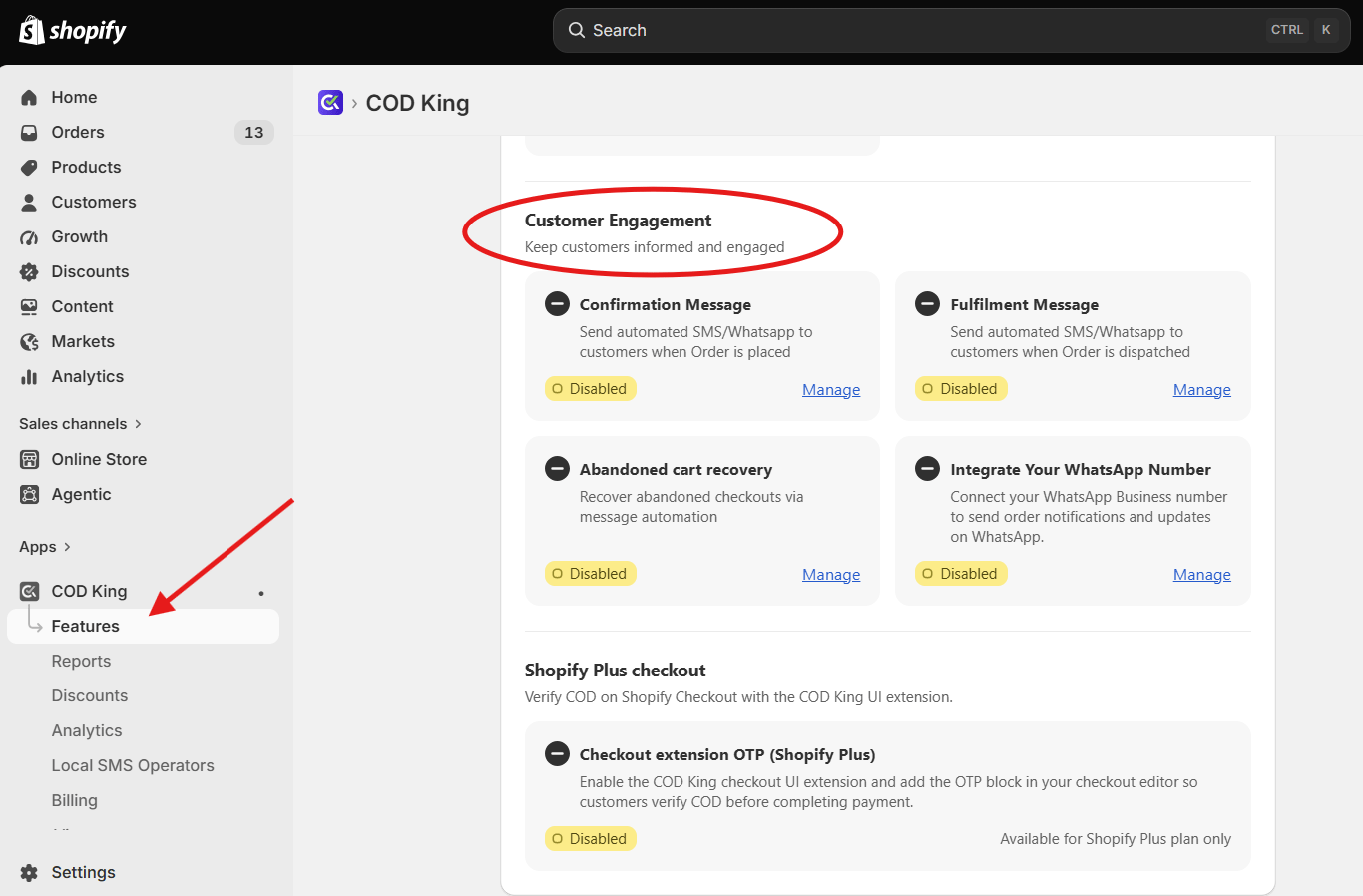
Step 2: Select Confirmation Messages
Under Customer Engagement, select Confirmation Messages to configure notifications that are sent when an order is placed and click on Manage.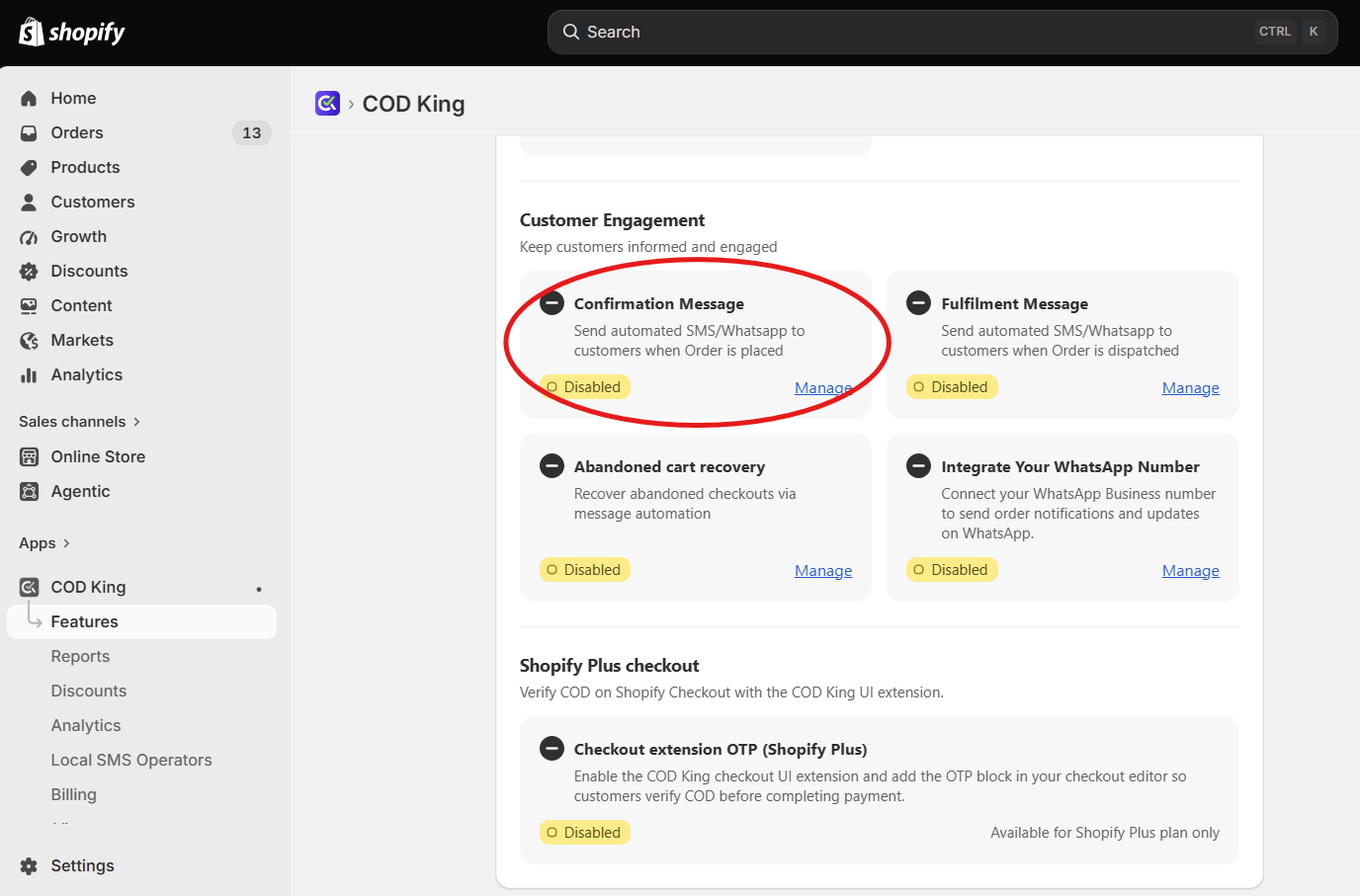
Step 3: Choose the Communication Channel
Select the channel through which you want to notify customers — SMS, WhatsApp, or both.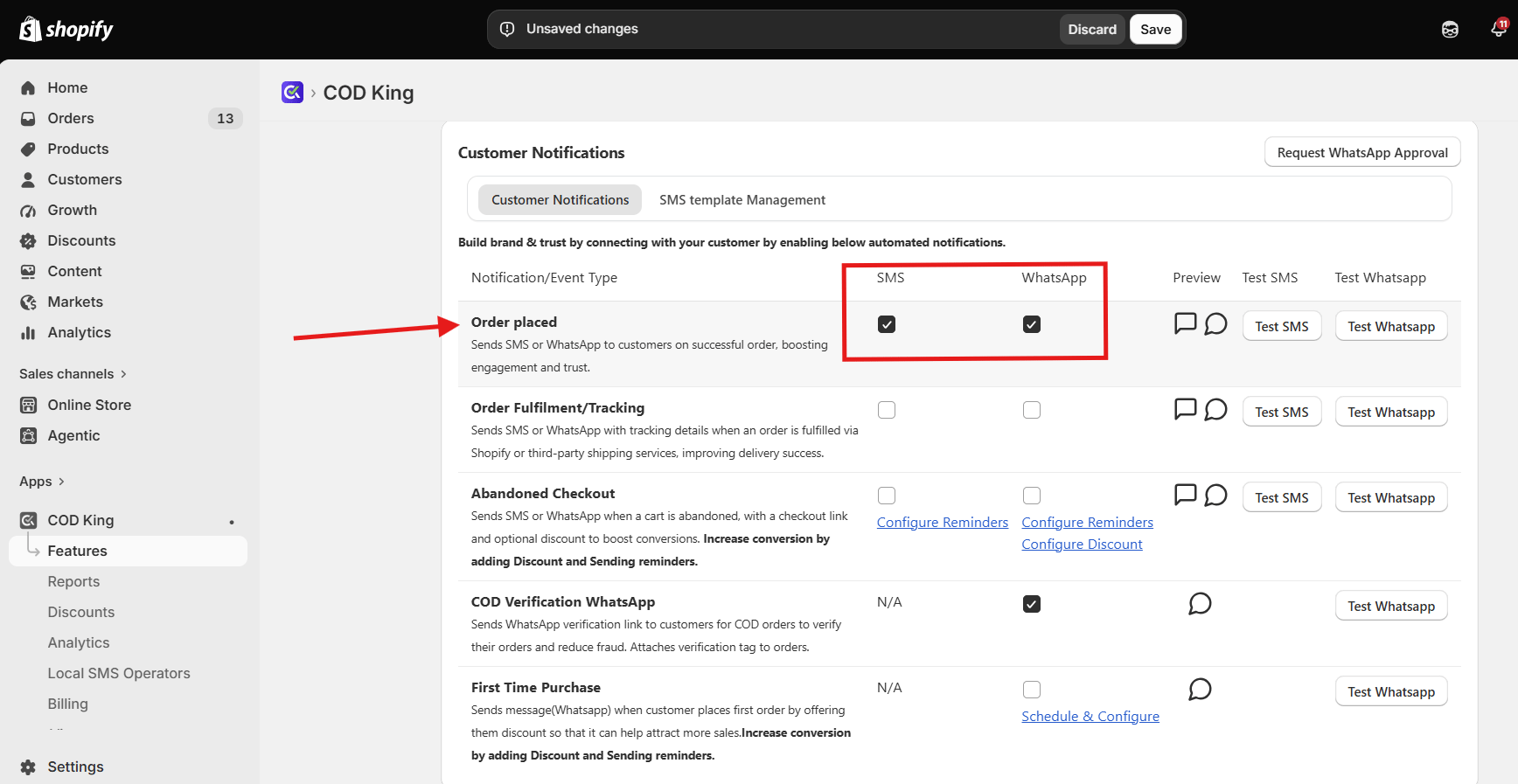
Step 4: Configure the Message
Create or customize the confirmation messages in Whatsapp or SMS whcih customers will receive after placing an order. Add relevant order details or dynamic variables where required.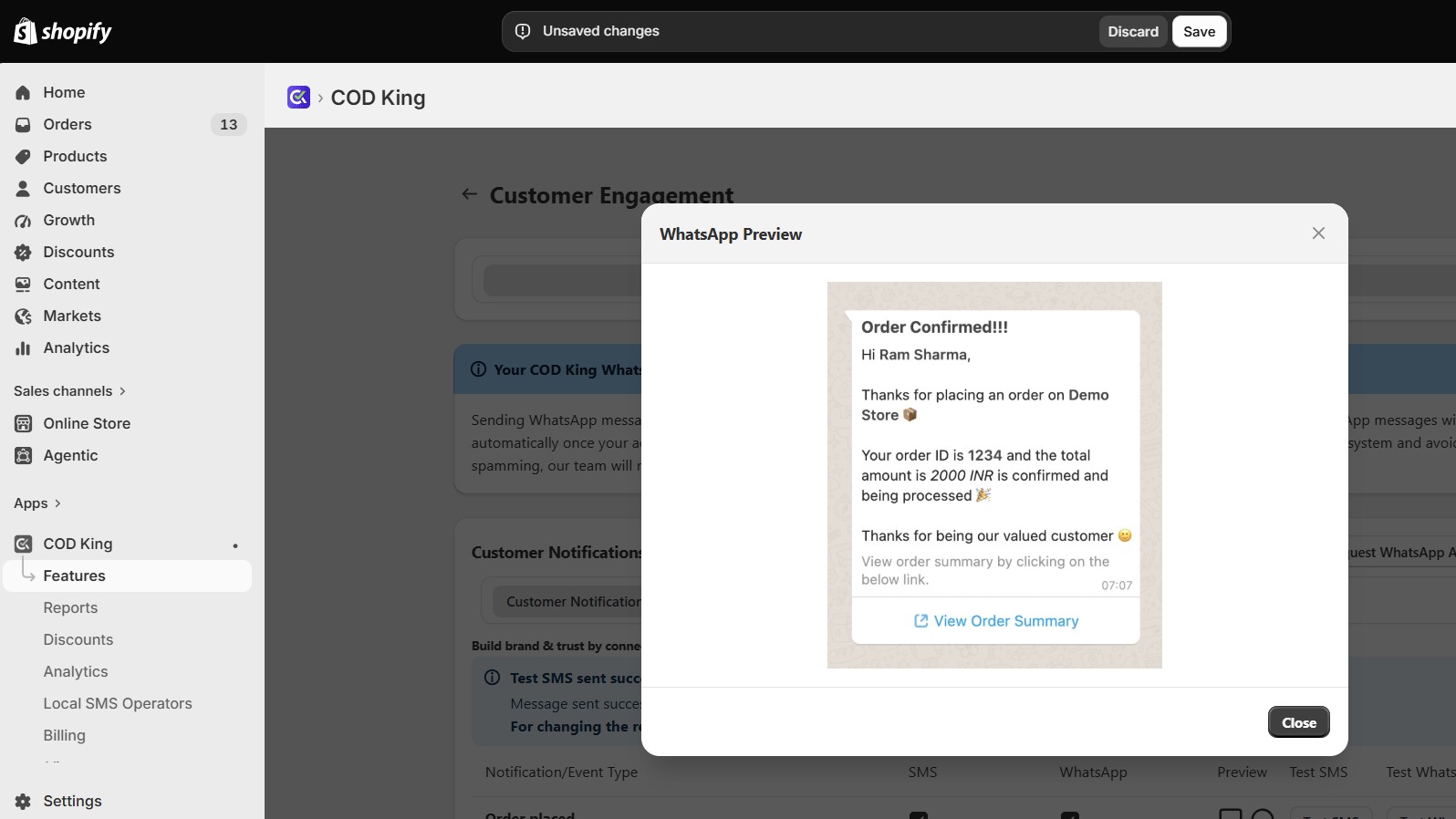
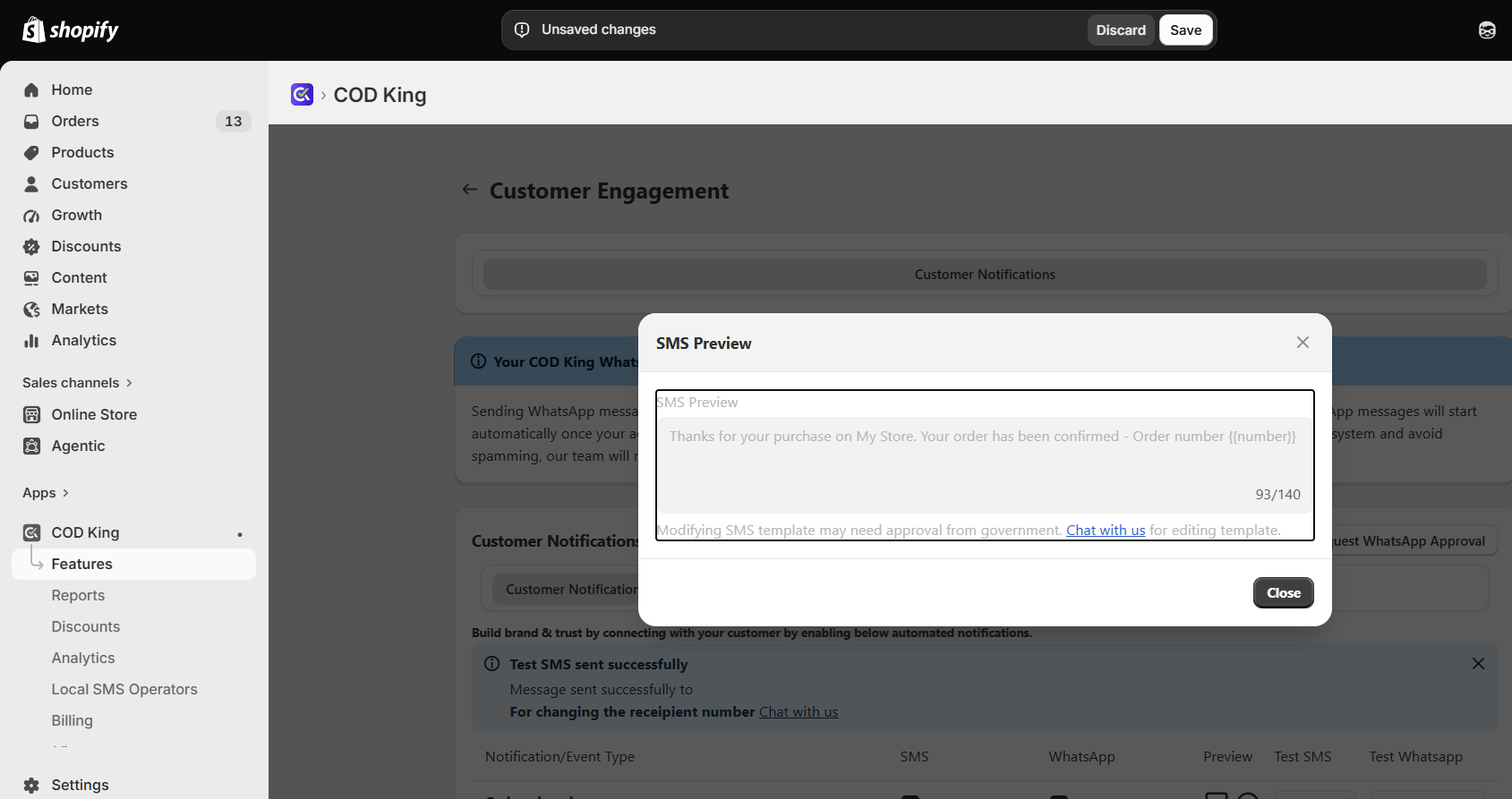
Step 5: Enable the Message
Review your message settings and enable the Confirmation Message to start sending automated notifications when orders are placed.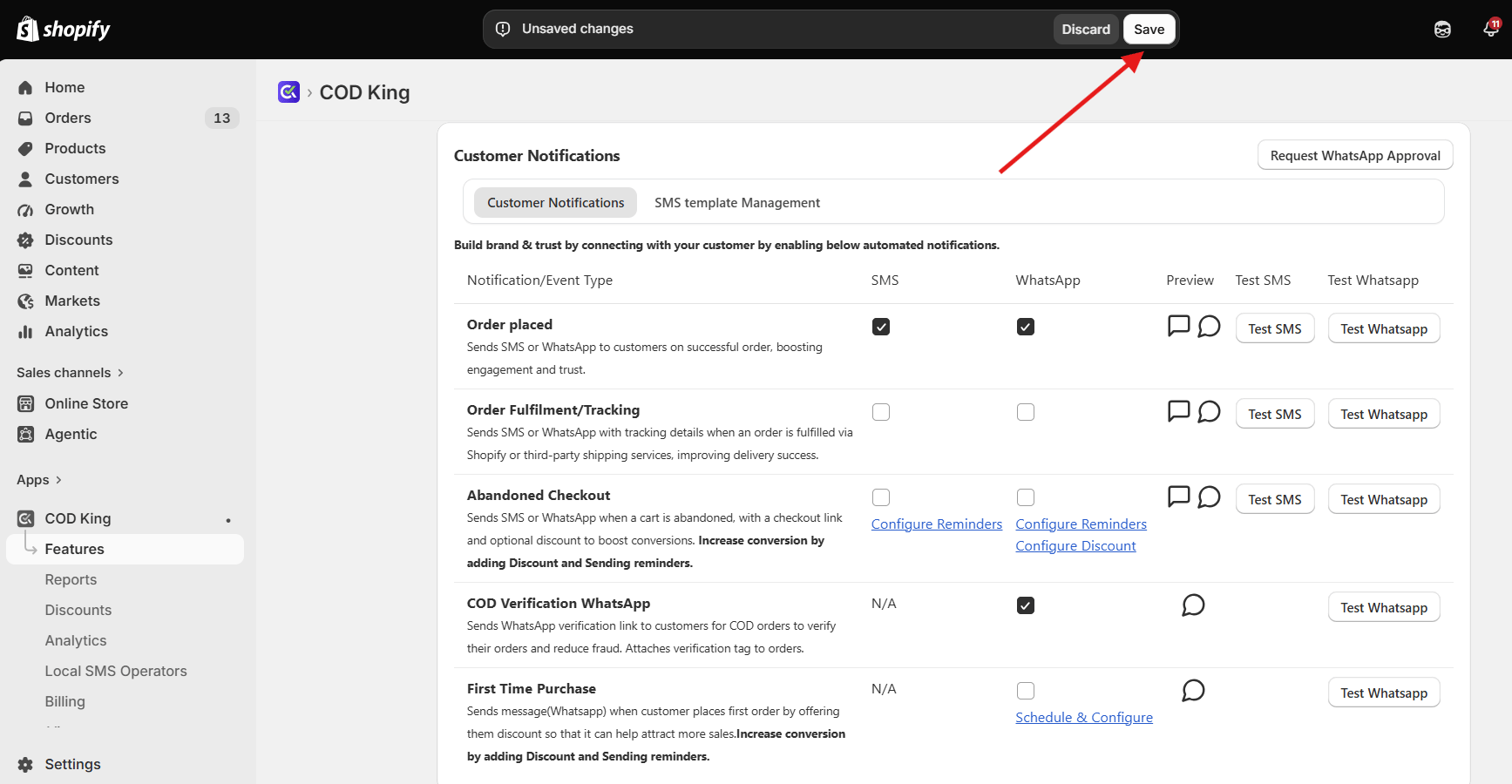
- Stores with high COD order volume
- Stores facing customer hesitation after placing orders
- Brands wanting a professional, automated communication flow
2. Fulfilment Messages
Allows you to send automated SMS and WhatsApp notifications to customers when an order is dispatched, keeping them informed about their order status and ensuring a smooth post-purchase experience. What the Customer Receives- Tracking link
- Courier partner details (if available)
- Estimated delivery message
- Order ID
Step-by-Step Guide :
Step 1: Open Customer Engagement
Go to COD King → Customer Engagement from your Shopify admin panel.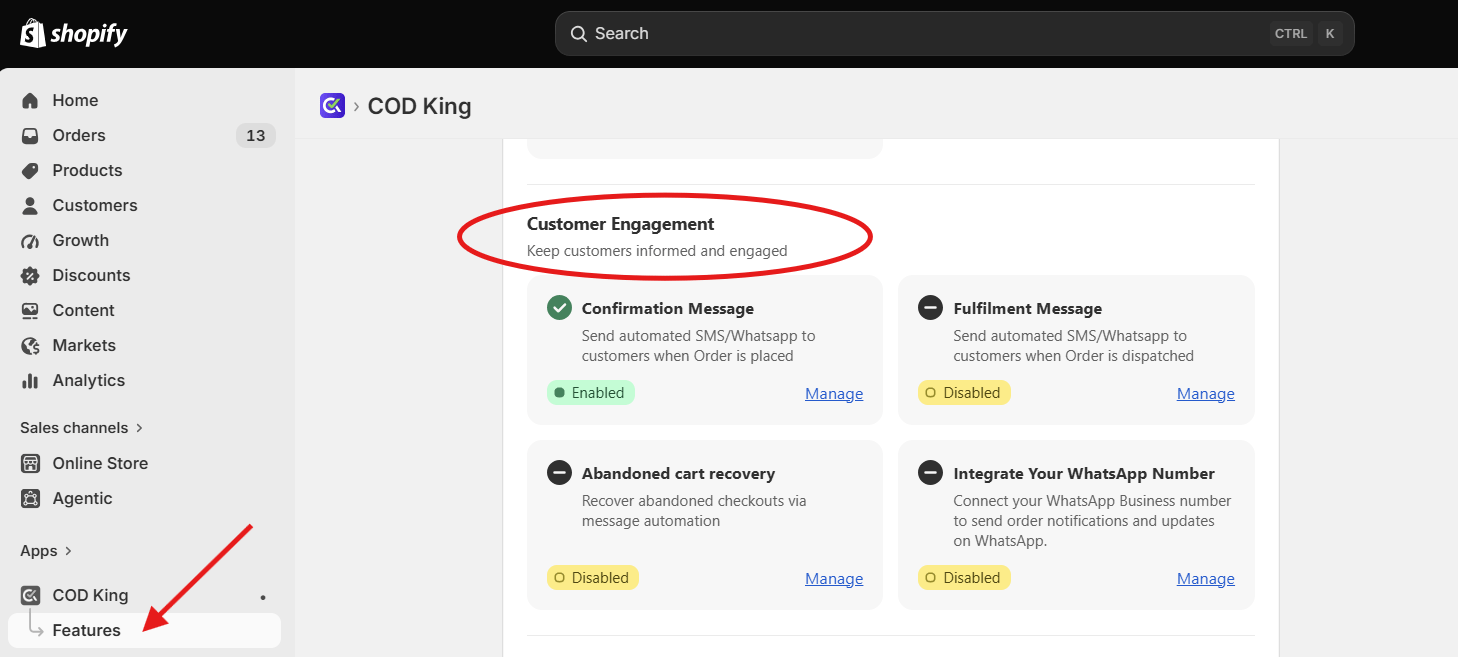
Step 2: Select Fulfilment Messages
Under Customer Engagement, select Fulfilment Messages to configure notifications for dispatched orders and click on Manage.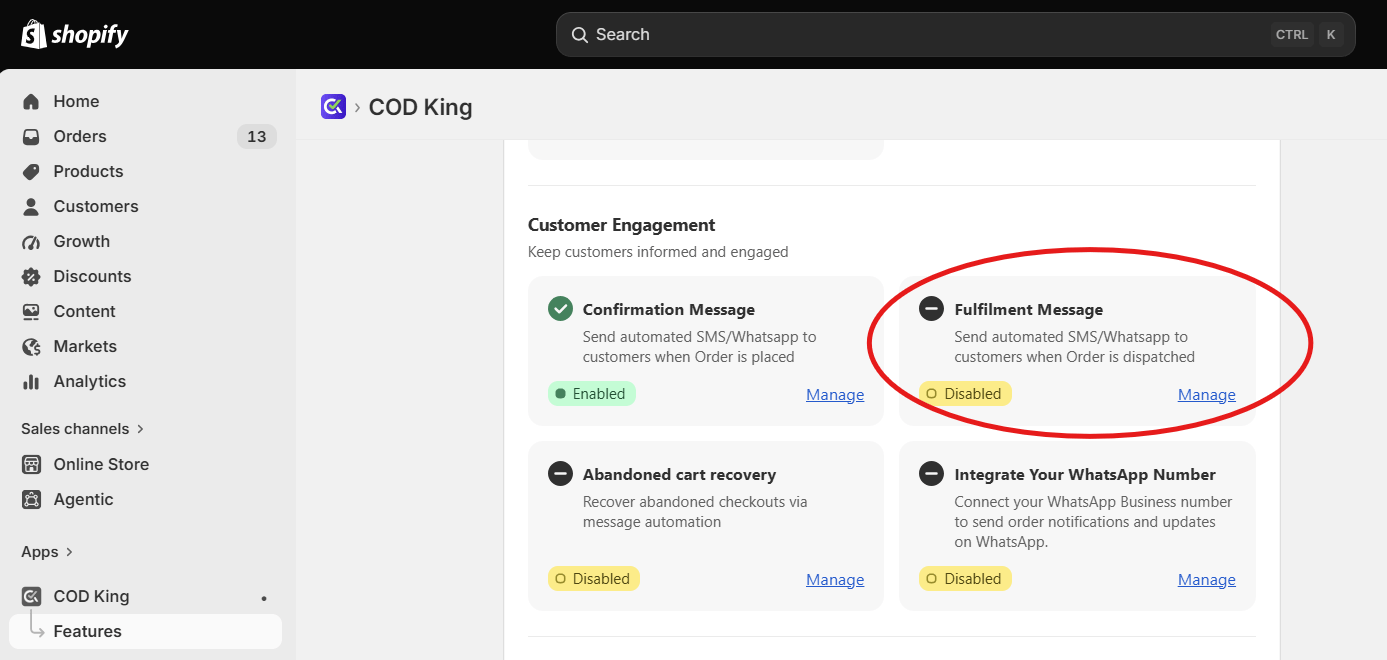
Step 3: Choose the Communication Channel
Select the preferred communication channel — SMS, WhatsApp, or both.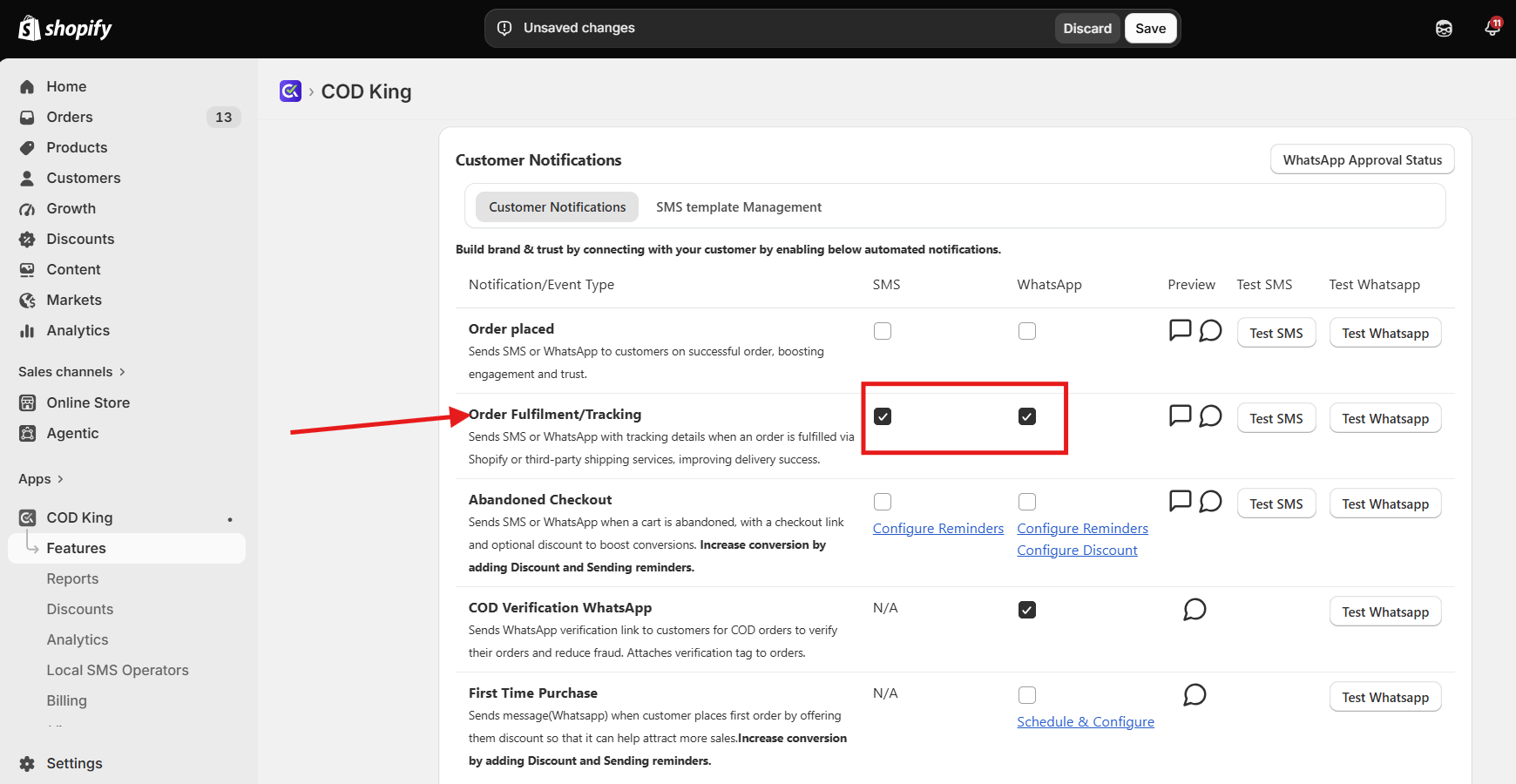
Step 4: Configure the Message
Create or customize the fulfilment message that will be sent when an order is dispatched. Add relevant order details using the available dynamic variables.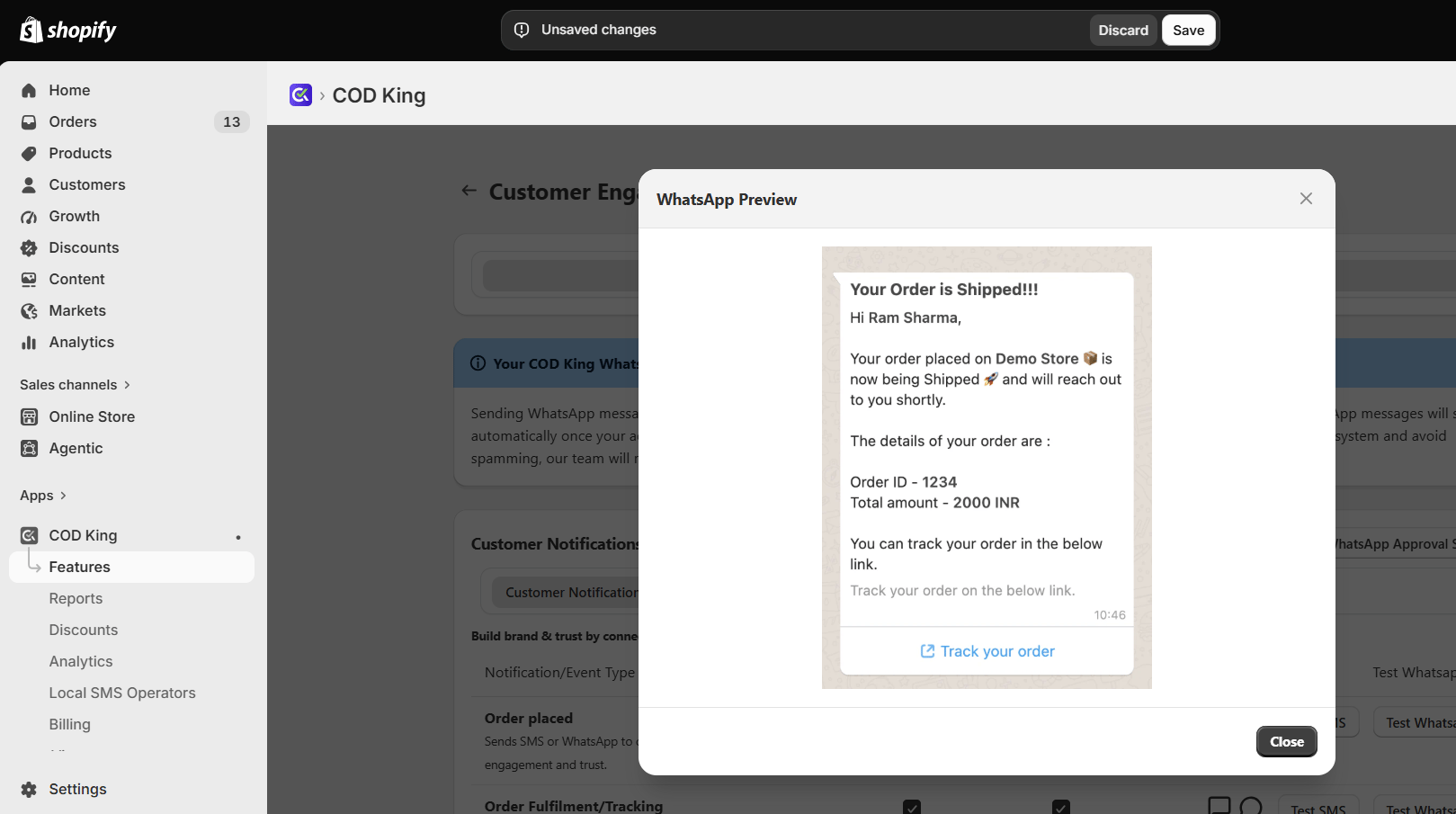
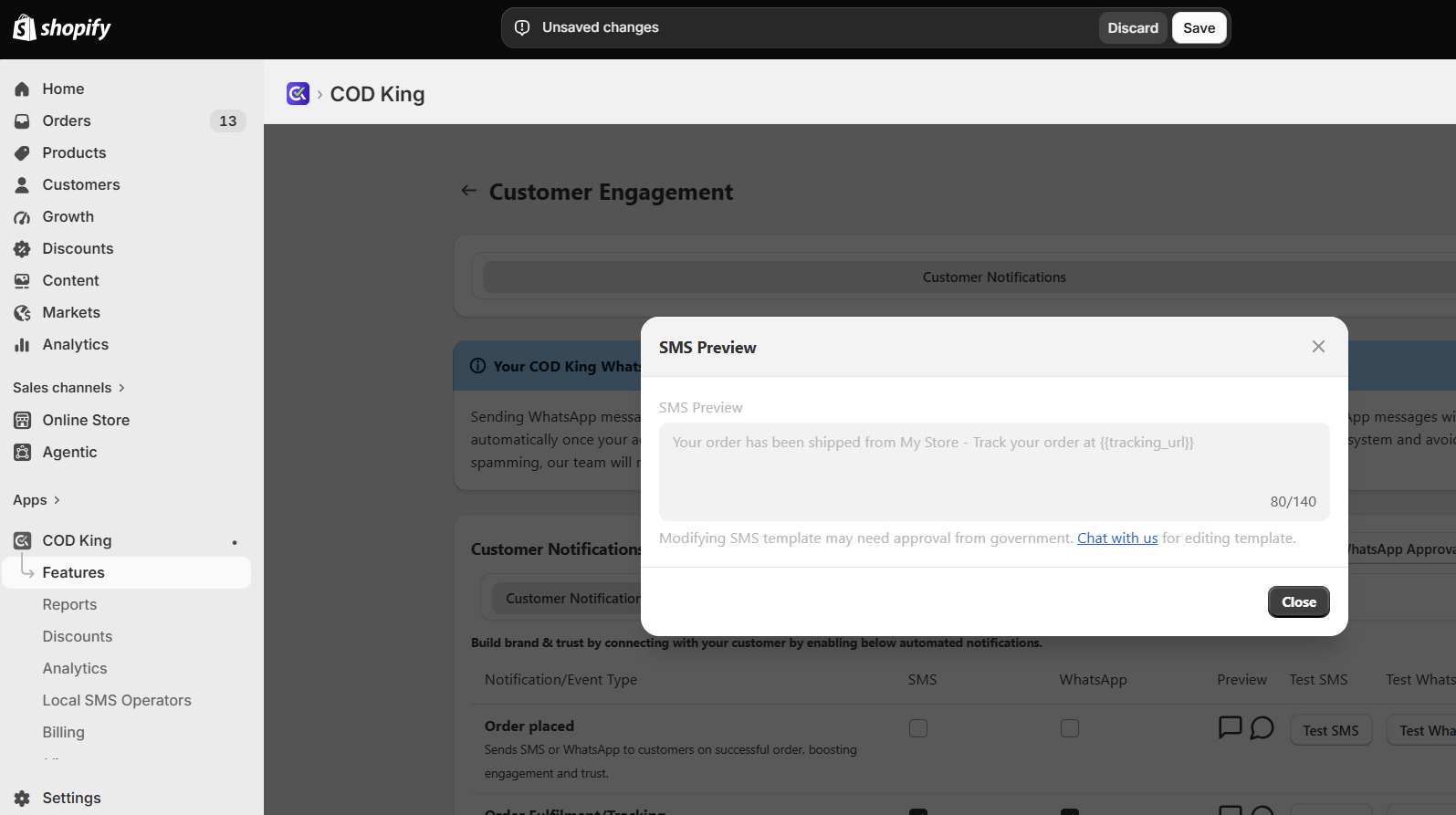
Step 5: Enable Fulfilment Messages
Review your message and settings, then save and enable the fulfilment notification.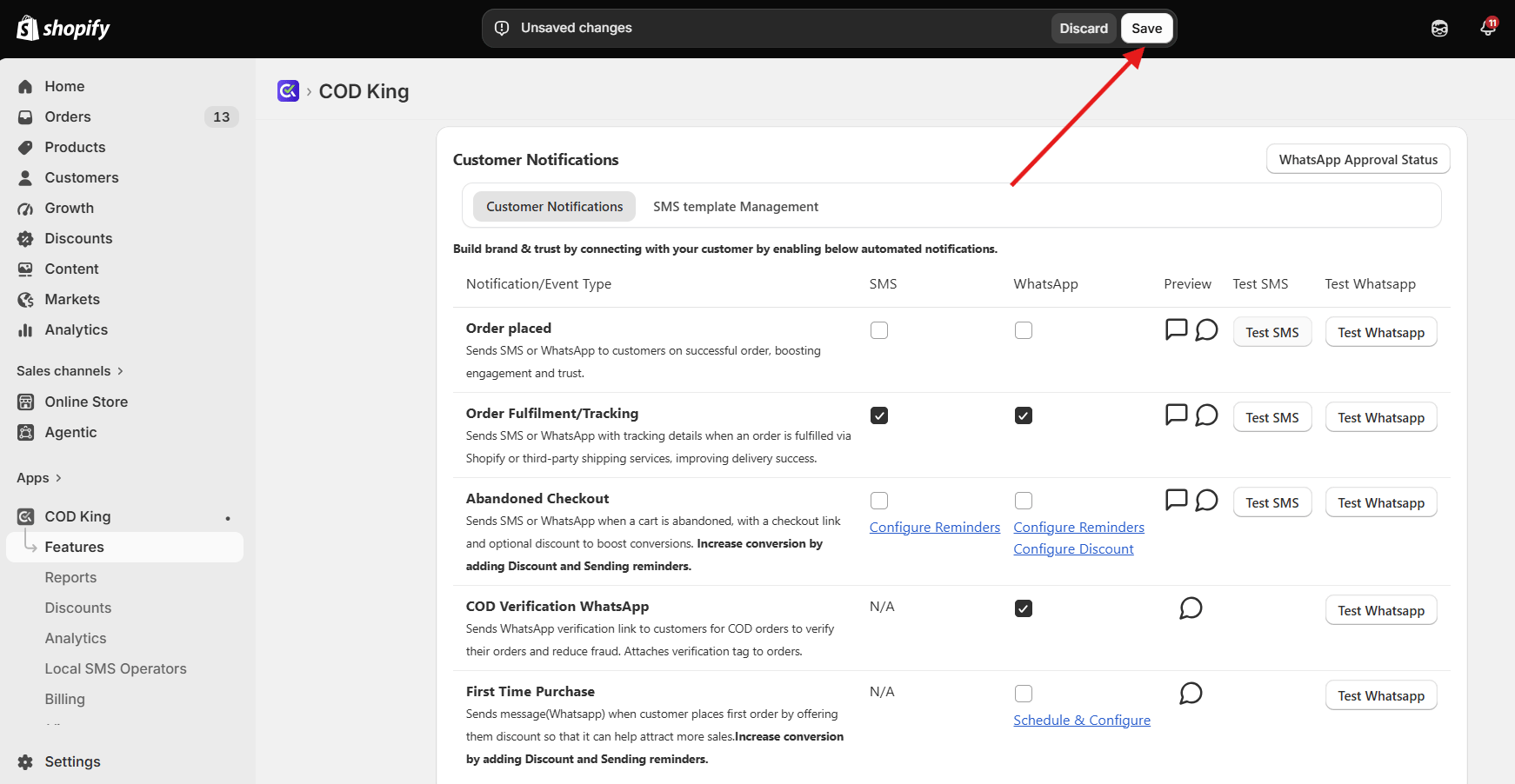
- Stores dispatching through multiple shipping partners
- Stores wanting fewer customer queries
- Businesses wanting to improve delivery performance
3. First Purchase Messages
Helps you send automated WhatsApp messages to customers after their first order by offering exclusive discounts and timely reminders. Encourage repeat purchases, increase customer engagement, and drive higher conversions. What the Customer Receives- Welcome message
- Thank-you note
- Discount code (optional)
- Brand introduction
Step-by-Step Guide :
Step 1: Open Customer Engagement
Go to COD King → Customer Engagement from your Shopify admin panel.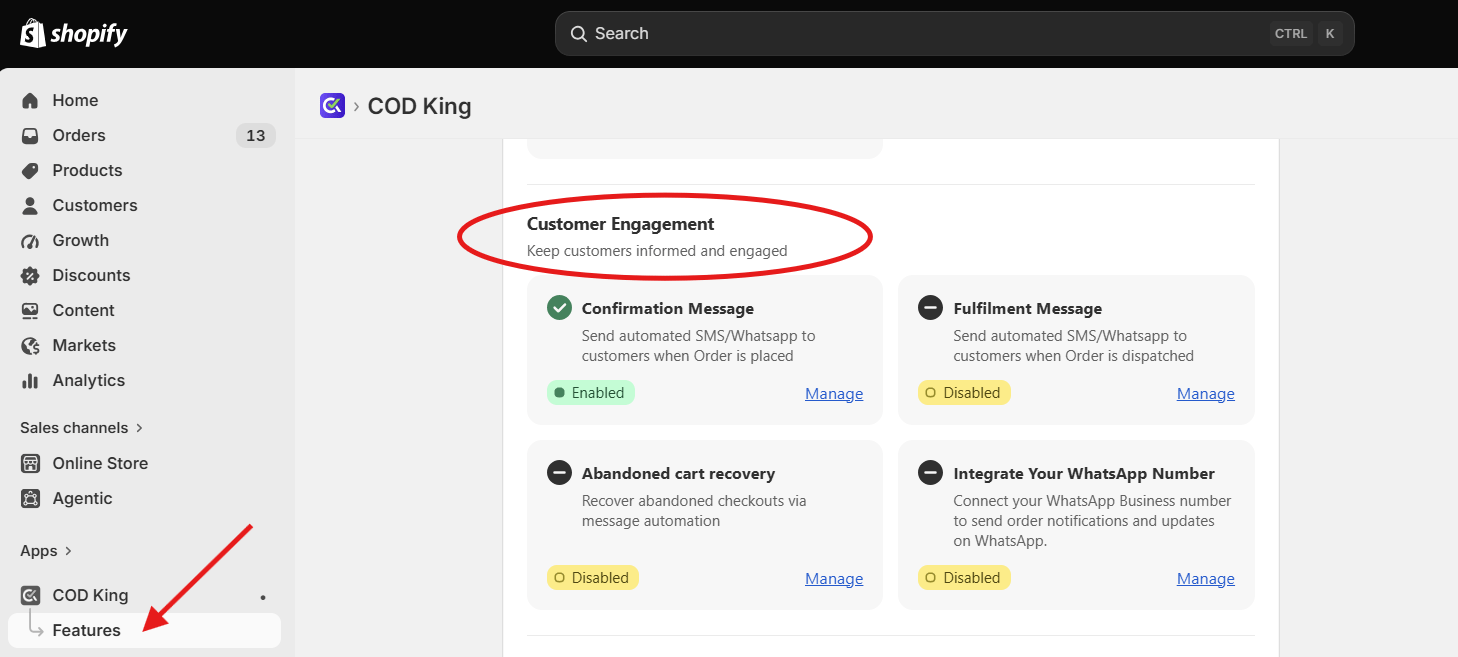
Step 2: Select First Purchase Messages
Under Customer Engagement, select First Purchase Messages to create automated messages for customers after their first purchase.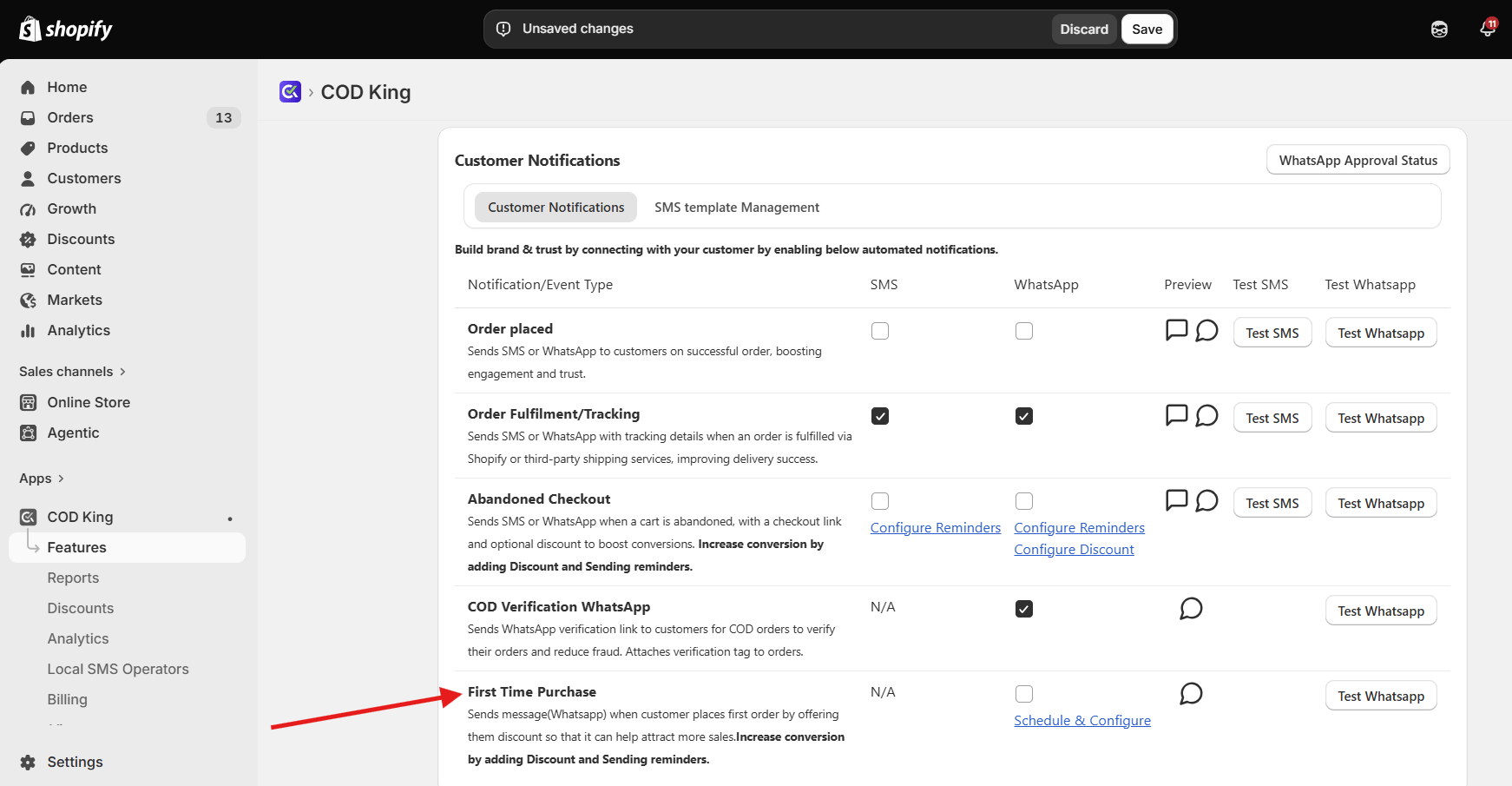
Step 3: Enable WhatsApp Messages
Enable WhatsApp as the communication channel for sending first-purchase messages to customers.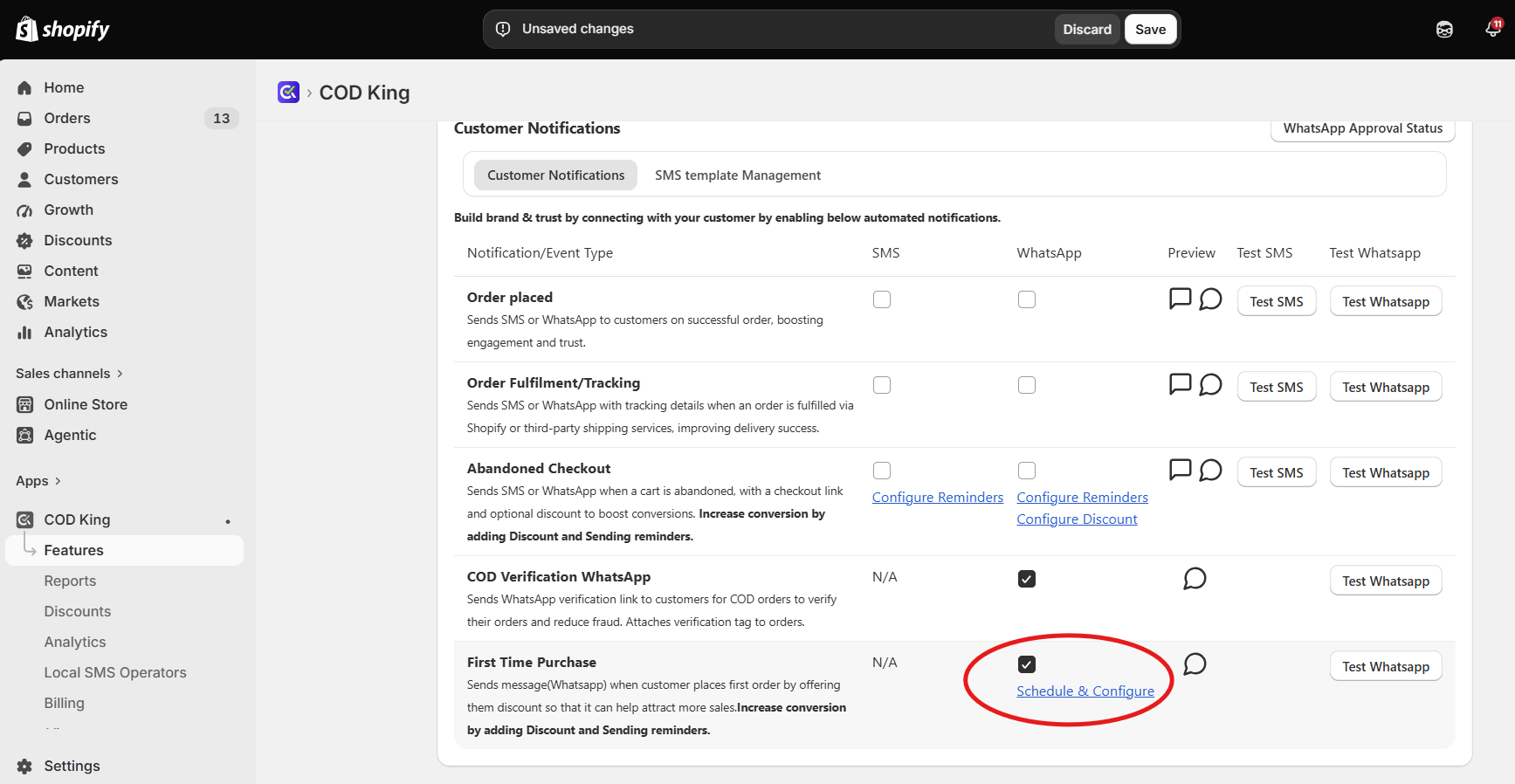
Step 4: Add Your Offer
Create a message offering an exclusive discount to customers after their first order. Add the discount details and any relevant dynamic variables.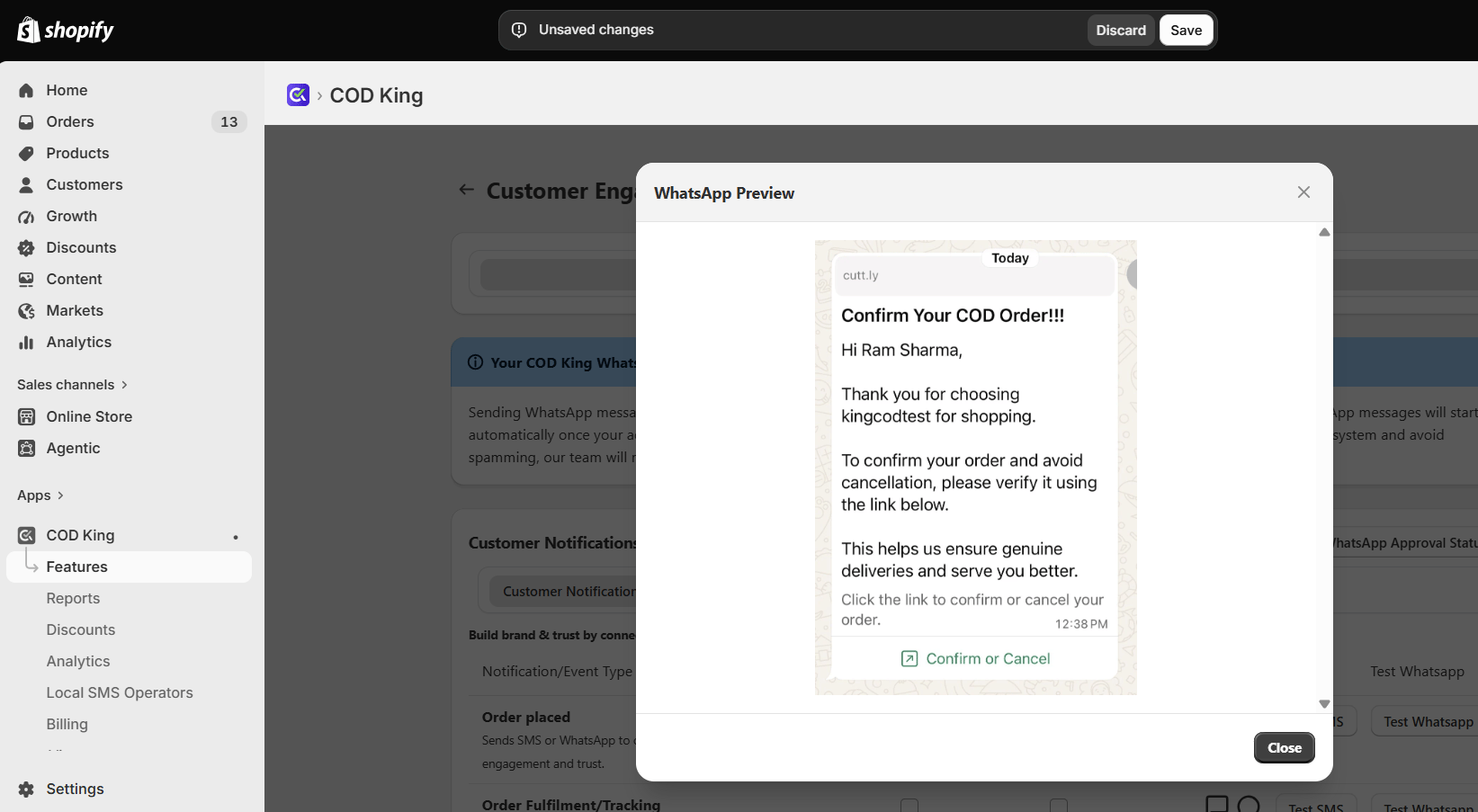
Step 5: Set the Reminder
Configure the reminder timing to send a follow-up message and encourage customers to use their discount.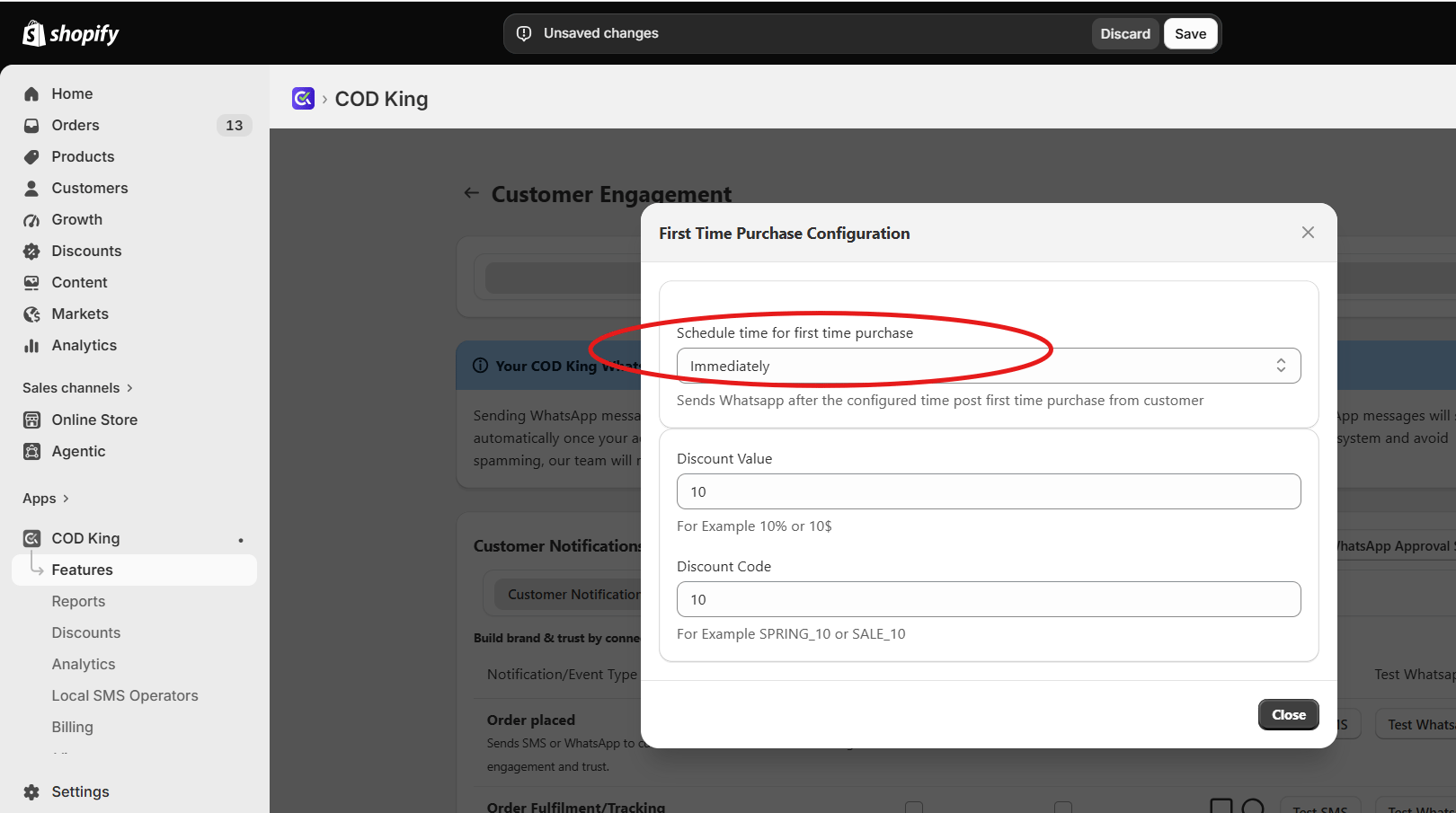
Step 6: Save and Enable
Review the message, discount, and reminder settings, then save and enable the First Purchase Message.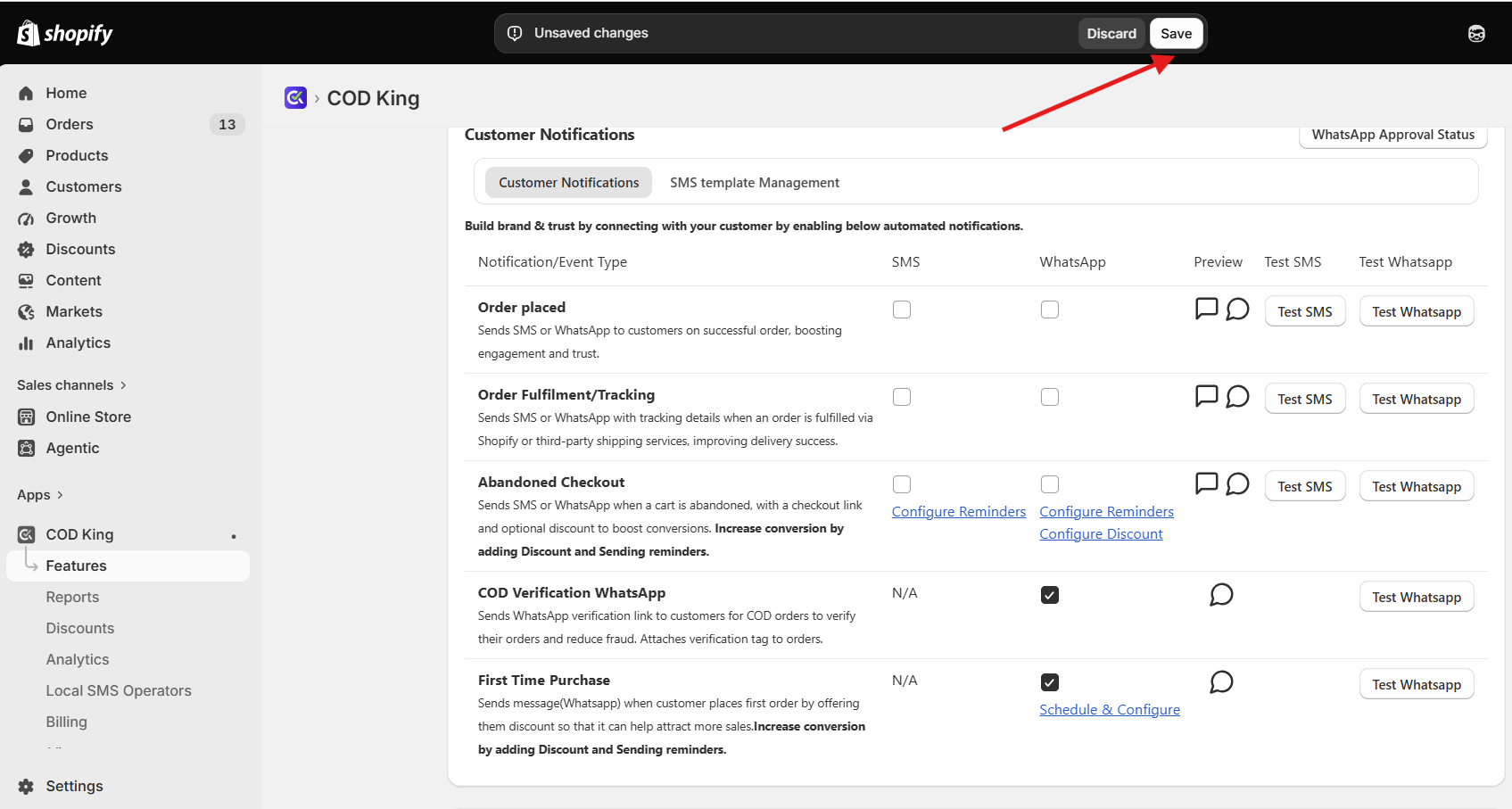
- New brands wanting to grow customer relationships
- Stores focusing on repeat buyers
- Stores with strong branding or loyalty programs
How Customer Engagement Helps Your Business ?
- Builds Customer Trust: Keeps customers informed at every key stage of their order journey.
- Drives Repeat Purchases: First-purchase offers encourage customers to shop again.
- Boosts Conversions: Timely messages and exclusive discounts motivate customers to complete more purchases.
- Improves Customer Experience: Delivers relevant updates through SMS and WhatsApp without manual effort.
- Strengthens Customer Relationships: Consistent communication helps turn first-time buyers into loyal customers.
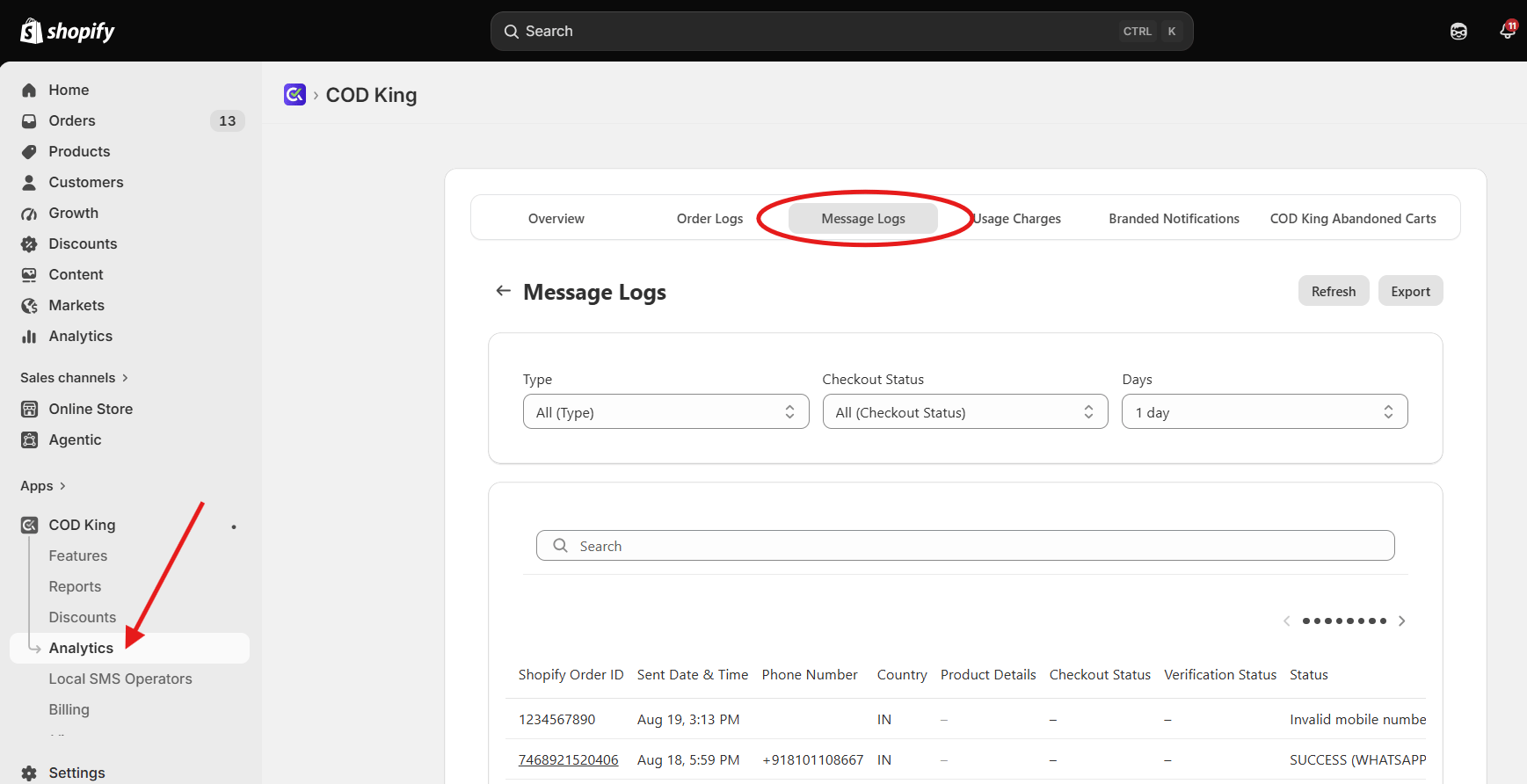
How to Access Customer Engagement/Message Logs ?
- Open the COD King app.
- Go to Analytics from the main menu.
- Select Message Logs